Cosmos Flower Mandala: Mastering Layered Laser Cut Designs for Flawless Results
The Cosmos Flower Mandala represents more than just a decorative motif; it is a celebration of summer’s vibrant energy captured in geometric precision. For creators, this design offers a unique opportunity to blend organic floral beauty with the structured elegance of mandala art. Whether you are crafting intricate paper cards or substantial wood wall hangings, the layered nature of this design adds depth and dimension that flat images simply cannot achieve. However, moving from a digital file to a physical masterpiece requires more than just hitting "cut." Many enthusiasts overlook critical details in file preparation and material selection, leading to wasted resources and frustration.
Understanding the nuances of this four-layered design is essential for achieving professional-grade results. By addressing common pitfalls early, you can ensure that your projects—from small ornaments to large-scale decor—reflect the glory intended by the original artwork.
Understanding the Design Structure
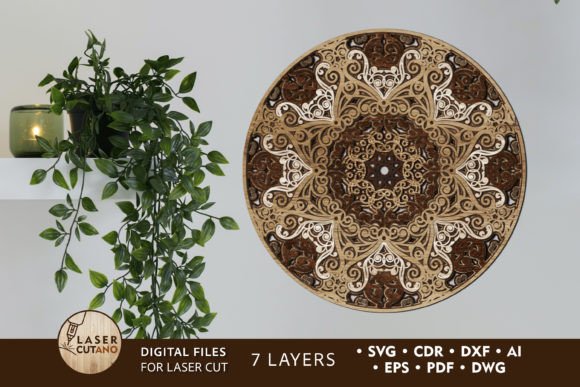
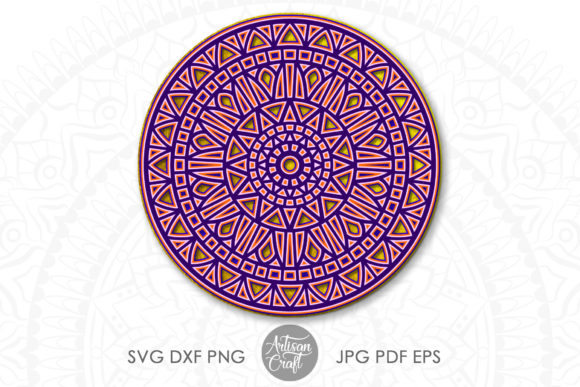
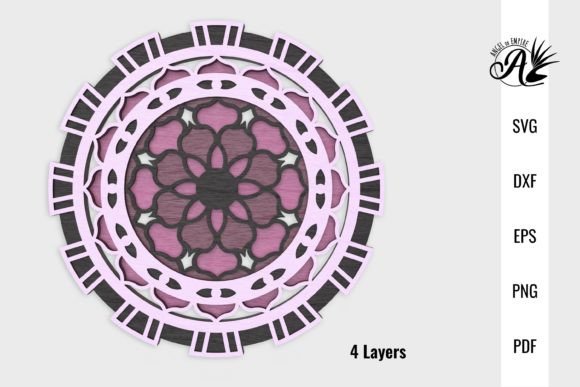
This specific Cosmos Flower Mandala was engineered with versatility in mind. At its core, it features four distinct layers, labeled 01 through 04, with 01 representing the topmost layer. This labeling system is not arbitrary; it is crucial for assembly. The design is optimized at six inches wide, making it suitable for smaller projects like handmade cards, scrapbooking elements, and junk journal embellishments. Yet, because the source files are vector-based, they can be scaled up significantly for large wall art without losing resolution.
The availability of multiple file formats—DXF, EPS, PDF, PNG, and SVG—ensures compatibility with a wide range of equipment. Whether you use a Glowforge, OmTech, Silhouette, Cricut, or ScanNCut, the files are ready to integrate into your workflow. The PNG files are provided at 300 DPI and twelve inches wide, offering high-resolution references for sublimation designs or digital previews. However, relying solely on raster images for cutting is a frequent error that compromises quality.
Common Mistakes in File Selection and Preparation
One of the most significant misunderstandings among beginners is the difference between vector and raster files when it comes to laser cutting or die-cutting. While the included PNG files are excellent for visual reference or sublimation, they are not ideal for precise cutting paths. Using a PNG for a laser cutter can result in jagged edges and inefficient machine movement, as the software attempts to trace pixel boundaries rather than following clean mathematical lines.
The Better Approach: Always prioritize SVG, DXF, or EPS files for cutting tasks. These vector formats maintain crisp lines at any scale. If you are creating a large wall piece, scaling up a PNG will result in pixelation, whereas scaling an SVG retains perfect clarity. Before sending any job to your machine, open the vector file in your preferred software to verify that all paths are closed and nodes are smooth.
Another overlooked detail is the layer ordering. Since the files come with layers labeled 01 to 04, failing to respect this hierarchy during assembly can ruin the visual depth of the mandala. Layer 01 should sit on top, casting subtle shadows on the layers beneath. If you assemble them out of order, the intricate details of the cosmos petals may be obscured, flattening the three-dimensional effect.
Material Selection and Machine Settings
Choosing the right material is just as critical as selecting the correct file format. A common mistake is using materials that are too thick for the intricacy of the design. The Cosmos Flower Mandala features delicate cutouts that can easily break if the material lacks structural integrity or if the kerf (the width of the cut) is too wide relative to the design details.
- Paper Projects: If you are using paper for cards or ornaments, standard cardstock may be too flimsy for larger scales. Opt for heavier weight paper or mount the layers on foam board for added rigidity. When gluing, avoid liquid adhesives that can warp thin paper; instead, use double-sided tape or spray adhesive applied lightly.
- Wood Cutting: For laser-cut wood art, plywood is often preferred over solid wood due to its stability. However, ensure the plywood is free of voids and knots in the areas where intricate cuts occur. Test your power and speed settings on a scrap piece first. Too much power can cause excessive charring, obscuring the natural grain and the delicate edges of the flower petals.
- Vinyl and Acrylic: When working with vinyl on cutting machines like Silhouette or Cricut, ensure your blade is sharp. Dull blades drag the material, causing misalignment between layers. For acrylic, use masking tape to prevent scratches during handling and removal.
Ignoring machine-specific quirks can also lead to poor outcomes. For instance, Glowforge users should pay attention to focus height, especially when cutting multiple layers of different thicknesses. OmTech users might need to adjust air assist settings to keep smoke residue off the delicate inner cuts of the mandala. Taking the time to calibrate your machine for each material type saves time and material in the long run.
Assembly Techniques for Professional Finishes
Even with perfect cuts, poor assembly can detract from the final product. A frequent error is rushing the gluing process, resulting in visible adhesive marks or misaligned layers. Because the Cosmos Flower Mandala relies on symmetry, even a millimeter of offset can be visually jarring.
To avoid this, use alignment jigs or pins. For paper projects, dry-fit all four layers before applying any adhesive. Check the alignment against a light source to ensure the centers match perfectly. For wood projects, consider using small dabs of wood glue applied with a toothpick for precision. Clamp the layers gently if possible, or use weights to hold them in place while drying.
Additionally, consider the background. The mandala looks stunning when mounted on a contrasting color. If you are creating a window hanger, backing the transparent layers with a sheer fabric or tinted acrylic can enhance the visual impact. For wall art, a deep-colored frame can make the lighter wood tones pop, emphasizing the summer-inspired warmth of the cosmos flower.
Maximizing Versatility Across Projects
The versatility of this design allows it to transcend traditional crafting. Entrepreneurs and small business owners can leverage this single design across multiple product lines. However, a common oversight is failing to adapt the design to the specific product constraints. For example, using the same scale for a coaster and a wall hanging without adjusting the line thickness can lead to structural weaknesses in the smaller item or excessive cut times in the larger one.
Practical Advice:
- Scale Appropriately: For coasters, keep the design within the standard four-inch diameter to ensure it fits standard holders. For wall art, scale up but consider adding a border or frame for support.
- Test Small: Before committing to a large batch of products, create a prototype. This allows you to identify any weak points in the design at that specific scale.
- Diversify Applications: Use the individual layers as separate elements. Layer 01 could be used as a standalone stencil for painting, while the full stack serves as a 3D ornament. This maximizes the value of the digital purchase.
By approaching the Cosmos Flower Mandala with a mindset of precision and adaptability, you can avoid common pitfalls and elevate your craft. Whether you are a hobbyist looking to add a touch of summer to your home or a professional expanding your product catalog, understanding the technical and artistic requirements of layered designs ensures satisfaction and high-quality results. Always review your files, respect the material limitations, and take care in assembly to let the intricate beauty of the cosmos flower shine.